
How to Search Cases by Name
Go to the official Telfair Case Search first. Its public session opens the Icon Software docket frame. Before typing a name, pick Civil Search or Criminal Search. On the civil side, the field reads Party Name. The criminal form calls it Name and adds an Alias field, which helps when a person goes by more than one spelling. Pair a common surname with filing dates, a narrow court choice, or a case-type checkbox to cut the noise.
- Enter through the clerk’s Case Search page so the public VIEW session can load.
- Choose Civil Search or Criminal Search based on the court record sought.
- Enter at least three characters in the name field, unless using the portal’s percent wildcard.
- Add Filed From and Filed To dates or a relevant case-type checkbox to reduce broad results.
- Select Search, compare case numbers and parties, then use the plus control to expand the correct docket.
Submit the form blank and the portal flashes an alert demanding at least one criterion. Its script also blocks any entry under three characters.
Telfair Icon Search Fields
The civil and criminal forms share some controls, yet they are not interchangeable. Civil brings child-support and domestic filters. Criminal brings alias and citation fields. One caution: a Superior Court citation field is not the same thing as a municipal ticket payment number.
| Field | Form | Required | Use |
|---|---|---|---|
| Case # | Both | Unspecified | Most precise local key when known |
| Party Name / Name | Both | Unspecified | Person or party text search |
| CSE # | Civil | Unspecified | Child-support enforcement identifier |
| Alias / Citation | Criminal | Unspecified | Alternate name or Superior criminal citation text |
| System Wide Search | Both | Unspecified | Cross-system text field; exact coverage is not published |
| Filed From / Filed To | Both | Unspecified | Month/day/year-style filing-date range |
Neither form publishes a maximum date range, a coverage start year, a refresh cycle, an export control, or a document price. Treat any unstated limit as simply unknown.
How to Search by Case Number
Type the full court-assigned identifier exactly as it reads on a notice, pleading, or docket. Telfair's public form labels the field Case #. No official source gives a reliable segment pattern. So do not invent a year, a case-type code, or a sequence format. Keep the punctuation and leading zeroes from the source record. Try that exact value first.
A case number beats a name. It points to one file. When nothing comes back, confirm the court. Probate, Magistrate, Juvenile, and municipal matters may sit outside the Superior Court Icon index. Older paper files can fall beyond the public web coverage. Call the clerk who holds the record and ask.
Telfair Icon Session Problems
The portal runs on an aging frame with an older JavaScript design. A direct automated or cookie-free request may loop through a default page. That loop blocks the public docket from opening. Start from the clerk's search entry. Allow session cookies, and switch to a desktop browser if mobile keeps redirecting you. The public identity is labeled VIEW, not an attorney account.
If the session breaks, work the problem in order. Clear the form and reopen it. Shrink the query. Still stuck? Call the Clerk of Superior Court at (229) 868-6525. An error on screen does not mean your case is missing from the Telfair County court docket. It means the channel needs a fallback. It never means typing credentials into an unexpected screen.
Skip bookmarking the framed results screen; start a fresh public session each time. Use Search to submit and Clear to wipe old criteria. A broad query that fails may succeed with the known case number alone. For a name, tighten the filing window and case category. Repeated errors call for the phone or the counter. Do not guess whether a record exists.
What a Case Search Shows
A good result identifies a case and places a plus control beside its number. Click that control and a child docket grid expands. The portal code also references a print-case path and attorney expansion, though a public session may not surface them on every case. The field list below covers the safe public functions to expect. It does not promise each case displays every item.
| Case Number | The court’s identifier and best key for a repeat Telfair County case lookup. |
|---|---|
| Style / Parties | The case caption and public party roles, subject to restrictions and redaction. |
| Filed Date | When the case or filing was entered, not the hearing date. |
| Case Type / Court | The category or court label used to route the record. |
| Docket Entries | Dated filings, orders, settings, resets, and disposition events that are public. |
| Setting | A scheduled event that should be confirmed against the newest calendar and clerk information. |
A screen print is not a certified copy. The complaint, order, or judgment image behind an entry may take a separate clerk request.
Telfair Filing Routes Differ
The Telfair Magistrate nCourt page shows the separate electronic route for filing a claim.
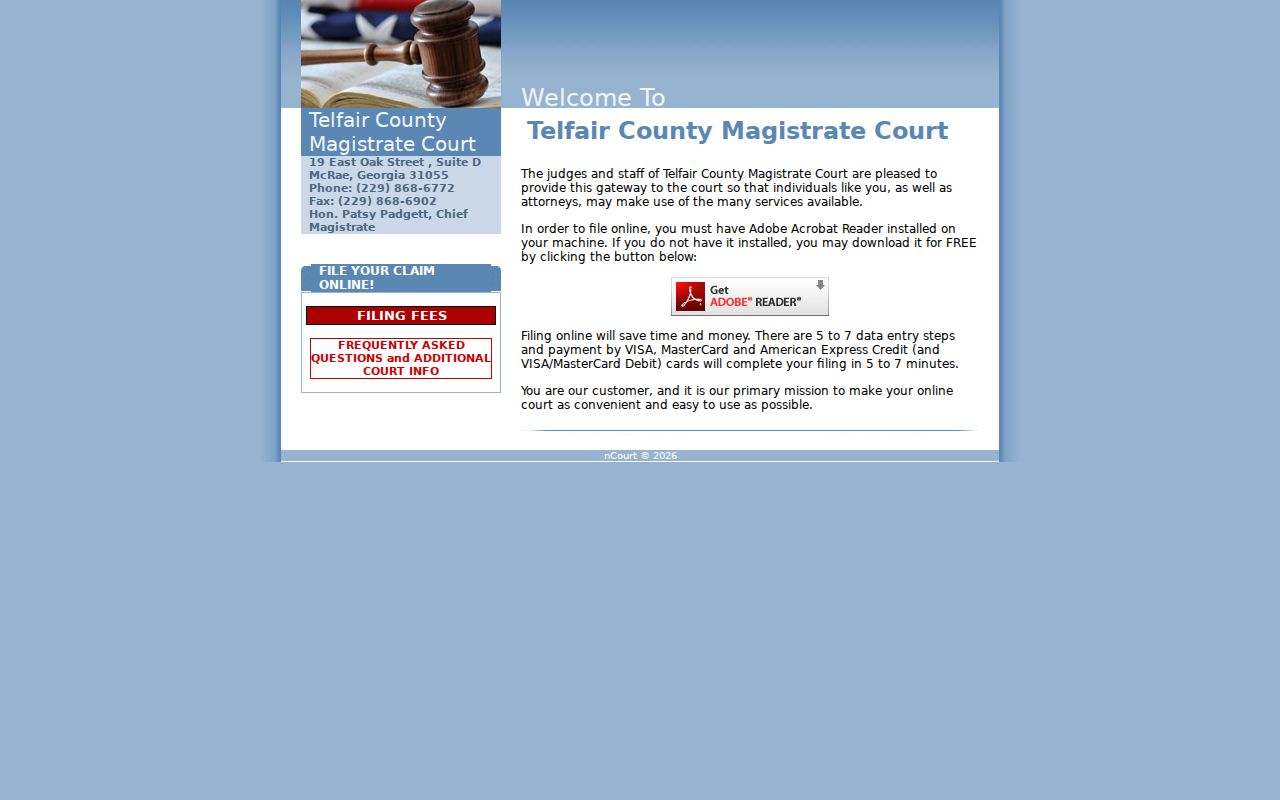
That filing route marks a key boundary for a Telfair County case search. nCourt accepts a Magistrate claim, but it is not the public Superior Court case index. Dispossessory matters, warrants, and other Magistrate business belong with that court, reachable at (229) 868-6772 or its Suite D counter. For circuit-level contacts and calendar details, the Oconee Judicial Circuit page is the official resource.
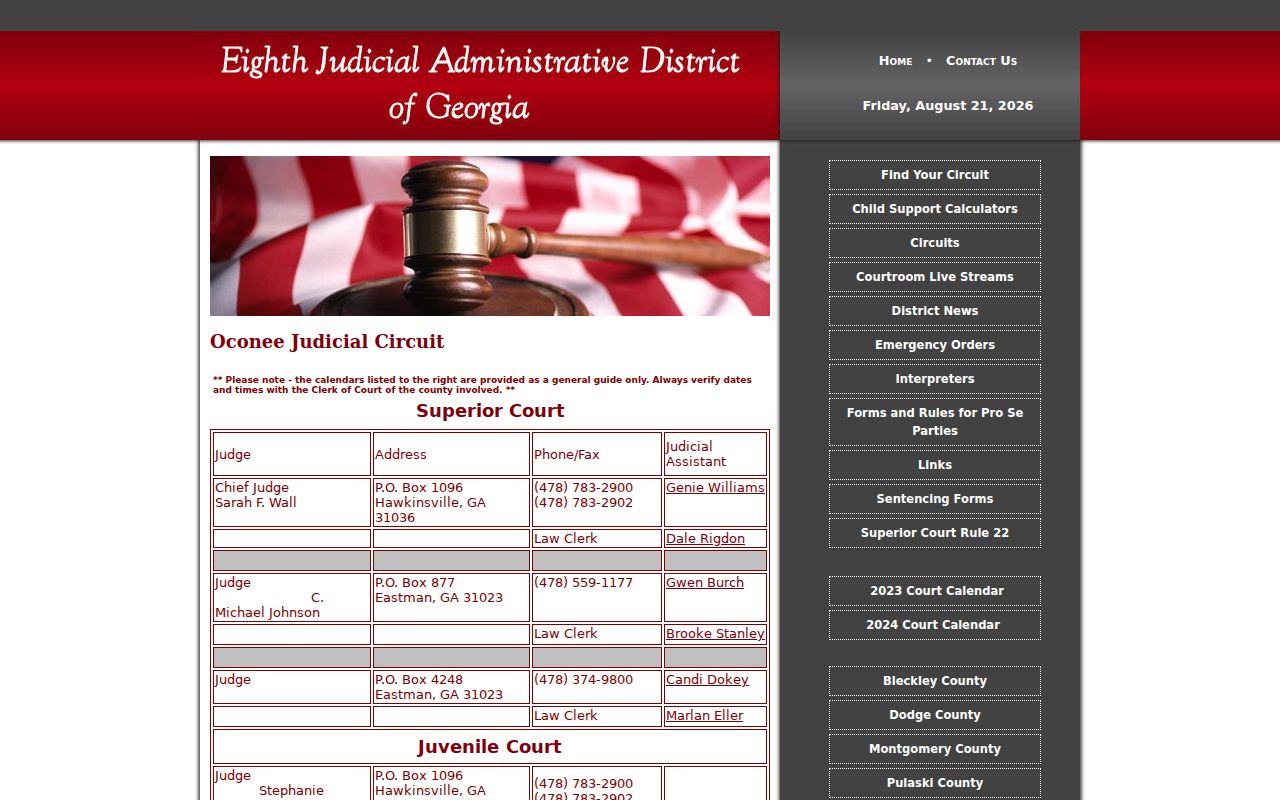
The circuit view adds judge and calendar context. It still cannot replace the Telfair clerk's name or case-number search. Give each official source its own job.
County vs Statewide Case Search
Georgia offers no single public statewide case search that consolidates a Telfair docket. Georgia Courts E-Access is a provider and account gateway. PeachCourt and GreenCourt handle e-filing for Telfair Superior Court. Keep the functions straight: filing access and public docket access are different things.
| Georgia resource | Telfair clerk portal |
|---|---|
| E-Access routes users to participating providers and account services. | Icon supplies the local public Civil Search and Criminal Search. |
| PeachCourt is the state-named Superior Court filing channel. | The clerk docket is used to find entered local case events. |
| No unified statewide Telfair result set was located. | Coverage centers on the local Superior Court index. |
Check Georgia Courts E-Access to learn the provider routes. It is not proof a Telfair case is absent. Appeals run through separate systems at the Court of Appeals of Georgia or the Supreme Court of Georgia.
Telfair Case Lookup Fallbacks
When a web result comes up empty, route your request by case type. The Superior Court clerk holds the felony criminal, civil, domestic-relations, child-support, and habeas records. That office also keeps Superior juvenile files. Wills and guardianships sit with Probate. Magistrate keeps limited claims, dispossessory matters, warrants, and other limited proceedings. City traffic and ordinance cases belong to the Municipal clerks.
- Call the Superior Court clerk at (229) 868-6525 for a web-index issue, setting, docket copy, or older file.
- Visit or write the responsible clerk and give the case number, parties, court, date range, and record sought.
- Ask whether a courthouse public workstation exists; no official terminal specification was published.
- Use the issuing city for a municipal citation because Georgia has no central citation database.
- Request an existing nonrestricted register or document under the Georgia Open Records Act when appropriate.
No office has to build a new report or offer legal analysis. A precise request for an existing docket entry, calendar, or order works far better. The Telfair County court record search explains the separate document and copy process.
Whether you mail a request or bring it to the counter, identify Telfair County and the responsible court. Add the case number or a party description. Include a useful date range, the record type, and the format you want. Skip sensitive identifiers the clerk does not need. Ask if a plain docket copy is available, and what fee or payment method applies. Certified copies cost extra. The office publishes a physical address and fax. It posts no formal request form or response tracker.
Telfair Docket Plus Control
That plus sign beside the case number does real work. Click it. It expands the docket or child grid. That moves you from a bare result row into the chronological register. The portal code also hints at attorney detail and a PrintCase function. Public cases may not all expose the same depth.
Quick check: find the correct case number first, then expand it and read the newest dated entry before relying on an older result row.
Viewing the public register can be free. Filed images and certified paper copies carry a fee. Confirm the current cost and delivery method with Amy Royal's Clerk of Superior Court office.
Restricted Cases and Access Rules
Uniform Superior Court Rule 21 sets the general public-access baseline. Rules 21.1 through 21.6 lay out procedures for limiting access and protecting information. Rule 36.17 covers sensitive identifiers. So a sealed, restricted, redacted, juvenile, adoption, protective, guardianship, medical, or confidential record may display less detail. It may return no public result at all.
A case missing from Icon did not necessarily never exist. Ask the clerk about the record. It may fall outside web coverage, belong to another court, or be legally restricted. If access is denied, request the legal basis. Ask also for the public docket fields that remain open and the proper review or motion procedure. Never try alternate names, bulk collection, or an official login to defeat a restriction.
The Georgia Open Records Act can help you obtain existing public material. It cannot override a court sealing order or force an office to create a report. Verify any record with the court that originated it.