
Searching Telfair County Criminal Dockets
Begin with the Telfair Criminal Search. It is an Icon Software portal run through Amy Royal's Clerk of Superior Court office. Know what it is not. It is not PeachCourt. That handles eligible Superior Court filings. It is not Georgia Courts E-Access either, since that routes users to providers instead of offering one statewide Telfair docket search. Before you start, gather a court, case number, name, alias, citation, or filing range.
A case number is the strongest key when you have one. The clerk publishes no fixed local number format. Searching by name works better with a filing range. A Superior Court filter also cuts false matches. The form demands at least one criterion. It also requires three characters of entered text, apart from the percent wildcard. Submit a blank form and you get an alert, not results.
- Open the criminal form from the clerk's Dockets page.
- Enter a case number, name, alias, citation, or system-wide term.
- Add Filed From and Filed To dates when the name is common.
- Select All, Superior Court, or the State Court option with care.
- Submit the search, match the court and case, then use the plus control to expand the docket.
Need something certified? Note the docket entry and ask the clerk for the filed record itself. A browser printout never becomes certified just because it came from the public docket.
Telfair Criminal Search Fields
The fields on the Telfair criminal form come in a helpful order. Case # sits first. Then come Name, Alias, Citation, System Wide Search, the two filing-date boxes, and the court checkboxes. Note that Citation is a field within the Superior criminal search. Treat it as such, not as a way to search every municipal ticket at once.
| Control | Best use |
|---|---|
| Case # | Open one known case; no official format notice is posted. |
| Name / Alias | Search a party name or known alternate name, then narrow by dates. |
| Citation | Use only when the criminal case record supplies that identifier. |
| System Wide Search | Broader text field whose exact coverage is not explained. |
| Filed From / To | Limit by a month/day/year-style filing range. |
| Court checks | Choose All, Superior Court, or the unconfirmed State Court option. |
The interface also carries a separate login for court officials and attorneys. Everyone else gets a public VIEW session. That label marks your session identity, not an account that opens restricted files.
Inside a Telfair County Criminal Docket
Think of the docket as a chronological index. A working result should identify the case. It should also offer a plus control that expands related rows. Field layouts can vary from one public result to the next. So treat the fields as things to verify when reading the docket view or calling the criminal desk.
| Case identity | Case number, filing date, court, judge, case style, status, and disposition if shown. |
|---|---|
| Parties | The State and defendant roles, plus public attorney information. |
| Charge data | Offense text, classification, citation, and bond data only when displayed. |
| Register entries | Accusation or indictment, motions, orders, settings, plea, trial, sentence, and appeal events. |
| Settings | Date, time, judge, courtroom, hearing type, and any reset history. |
| Access status | Document link, fee or login gate, redaction, or restricted label. |
A charge entry is not an outcome. A setting is not proof a hearing took place. Read the later docket entries for a continuance, plea, dismissal, sentence, or other disposition, then confirm any critical point with the clerk.
Telfair Criminal Search Errors
The portal can show an internal-error message. That alone does not mean the criminal database is closed. The site runs on an older frame with a JavaScript session, so start at the clerk's Case Search entry, allow session cookies, and try a desktop browser before changing your search criteria.
If the search still fails: call the Clerk of Superior Court at (229) 868-6525. Ask whether the case is indexed online, whether the setting changed, and whether an older paper file needs staff retrieval.
The clerk's counter sits at 19 East Oak Street, Suite C, McRae, Georgia 31055. The office does not post current public hours, terminal access, mail procedure, payment methods, or turnaround times, so confirm those points before traveling or sending funds. A fax number is published: (229) 868-7956. The office posts no copy-request email or fax procedure.
How a Criminal Case Moves
Docket entries in a Telfair County criminal case follow the court case. They do not follow the arrest record. Early entries often involve a warrant, complaint, accusation, indictment, bond, or first setting. Arraignment records the plea stage. Pretrial entries may cover motions, orders, discovery notices, continuances, or bond questions. A later plea or trial entry can lead to judgment and sentencing. Appeal and remittitur entries may follow the disposition.
Docket flow: Filing › Arraignment › Pretrial › Plea or Trial › Disposition › Sentencing
The exact route varies from case to case. Some end before trial. A single row may only show that an event was scheduled. A continuance means a setting moved, not that the prosecution ended. The newest dated entry and the court's current direction control.
Telfair Criminal Calendar Labels
The clerk's calendar page and Oconee Judicial Circuit materials add context to any docket setting. Local headings include Telfair Criminal Term. They also list Telfair Revocations/Bonds and Rev/Bonds/Pleas. Criminal Term marks a period set aside for criminal business. Revocations/Bonds can cover supervision and bond matters. The combined label may add pleas. No heading by itself explains what happened in one case.
- Setting
- A scheduled court event that may later be reset.
- Revocation
- A calendar label for review of supervision or related status; verify the case-specific issue.
- Plea
- A plea event or entry whose exact result must be read in the case register.
- Disposition
- The outcome event, which can include dismissal, plea, conviction, or another final action.
Compare the expanded case entry with the newest posted calendar. If the PDF is old or scanned, the judge changed, or the docket shows a reset, call the criminal desk before you travel.
Courts That Hold Criminal Dockets
Felonies in Telfair County live on the Superior Court criminal docket, kept by Amy Royal's office. Magistrate Court takes warrants and lesser criminal matters from Suite D. Its nCourt page handles claims online, but it is not a criminal docket index. Juvenile delinquency and juvenile traffic cases run through Juvenile Court under separate access rules.
Municipal courts hold city traffic and ordinance cases. Jacksonville and Lumber City have known municipal routes. Start a city ticket with the city that issued it, even though the Superior criminal form has a Citation field. Georgia keeps no central citation database. A payment portal is not a docket register either. Federal criminal cases sit outside the state clerk's system and need federal access.
The Icon form also shows a State Court checkbox. The official e-file chart lists no separate current Telfair State Court. Read that checkbox as a portal option only. Confirm any match with the Superior Clerk before trusting it as proof of court assignment.
Telfair Criminal Dockets and PACER
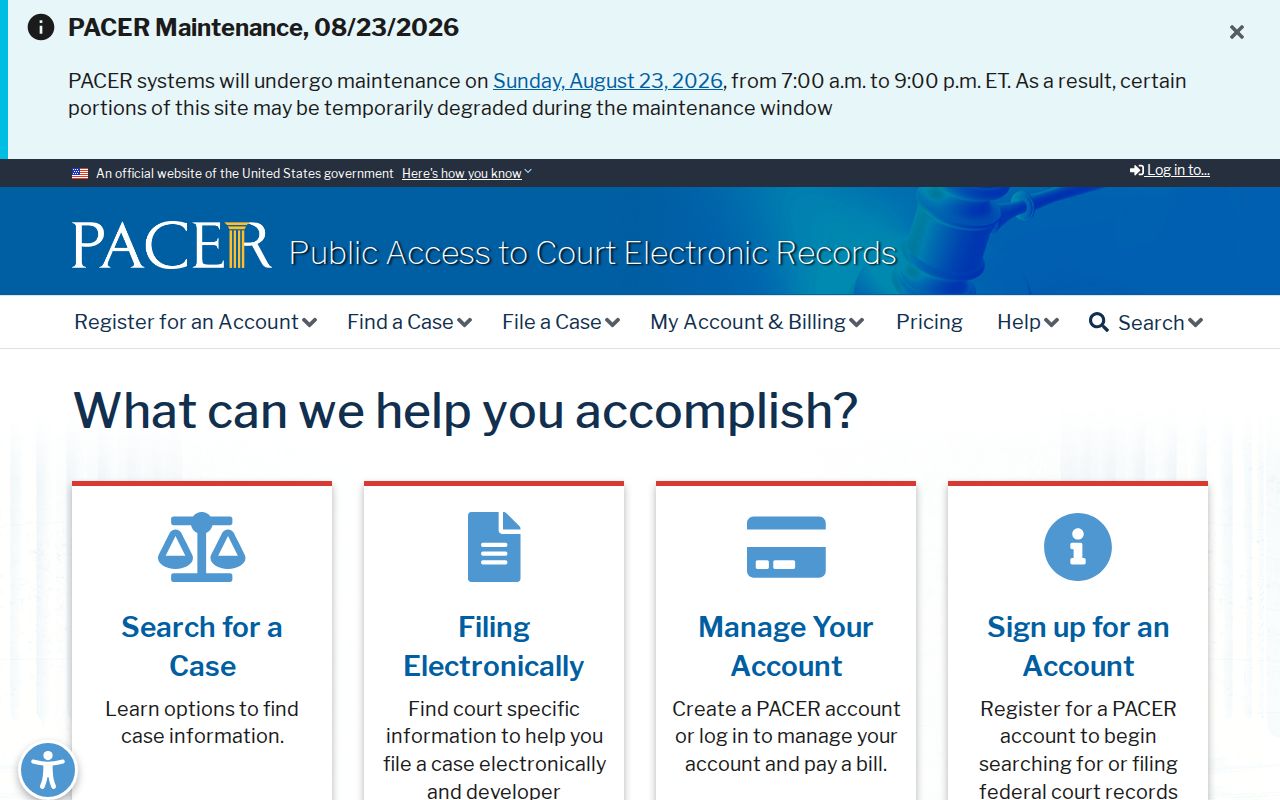
State and federal dockets live in separate systems. A Telfair Superior Court search stops at the state line. It will never pull up a prosecution filed in the Southern District of Georgia. Federal cases answer to a different set of rules entirely. The official source is PACER, which requires its own account and its own fee schedule. It does not answer to Georgia state open-records procedures.
That jurisdictional line matters when you look up a criminal docket. The official PACER gateway marks where federal territory starts and state searches stop.
Unsure which court level you need? Ask the Superior Clerk whether the state file notes a transfer, a related federal number, or an appeal reference, then go to the office that record names.
Telfair Criminal Docket Access Channels
Online access is just one link in the chain. The Icon Criminal Search is the first public web route. The clerk's posted trial PDFs help with checking settings. For an open Superior matter, call (229) 868-6525 or visit Suite C. Ask the criminal desk for an existing nonrestricted docket register, older-file retrieval, and the current cost and delivery method for a copy.
Magistrate questions go to (229) 868-6772. Municipal questions belong to the issuing court. If a public register or document cannot be found through the normal route, write a request under the Georgia Open Records Act naming the case, court, date range, and record sought. The office need not create a new report or legal summary. A good request targets an existing item in a practical format.
PeachCourt and GreenCourt are filing tools for Superior Court. They do not replace the public docket. Georgia Courts E-Access offers no free statewide Telfair lookup either. Matching the record to its custodian is the step that matters.
Sealed Dockets and Public Access
Georgia's public-access baseline sits in Uniform Superior Court Rule 21. Rules 21.1 through 21.6 let a judge restrict part of a record. Rule 36.17 covers sensitive identifiers. Juvenile files may face stricter rules. So may protected, medical, domestic-violence, or confidential law-enforcement material. Keep that in mind. A missing web result does not prove a case never existed.
Key access rules:
Uniform Superior Court Rule 21 starts with public access and defines the court process for restrictions.
O.C.G.A. § 50-18-71 guidance explains requests, search labor, redaction, and copy costs for existing public records.
When a result is sealed, restricted, or redacted, ask the clerk which public docket fields remain open and what legal procedure applies. Never try to slip past a restriction with alternate names, an official login, or bulk searching. For practical steps on finding another public case, use the county case lookup.