
Searching the Lumber City Court Docket
The city posts no separate public municipal docket page. Its official site carries a payment form with a Citations option. Use that tool only when the ticket and the city's own instructions say payment works. Need a docket entry, a disposition, a hearing date, or a way to contest? Contact the city or the court named on the ticket. That ticket names the right door.
- Read the Lumber City citation for the issuing court, citation number, appearance date, and mandatory-appearance language.
- Open the official city site or call (912) 363-4942 before using a third-party payment page.
- Choose Citations, not Taxes, only if paying is allowed and intended.
- Enter the exact citation number and identity/contact fields requested by the city form.
- For a hearing or docket, ask City Hall for the responsible clerk and current public register entry.
- If the matter is Superior Court, switch to the Telfair Clerk’s Civil or Criminal Search and confirm the case there.
A payment lookup that comes up empty does not mean the case was dismissed. The citation may not be in the system yet, may require a court appearance, or may belong to a different court entirely.
Lumber City Citation Payment Form
The official Lumber City Make a Payment page runs on Stripe and opens with a Payment for choice. Pick Taxes or Citations. Selecting Citations reveals a Citation # field. Email, first name, and last name follow, and then Submit Payment. The form displays no court date, no docket entries, no case status, no violation detail, no balance explanation, and no contest option.
The official payment page shows those transaction controls and nothing more.
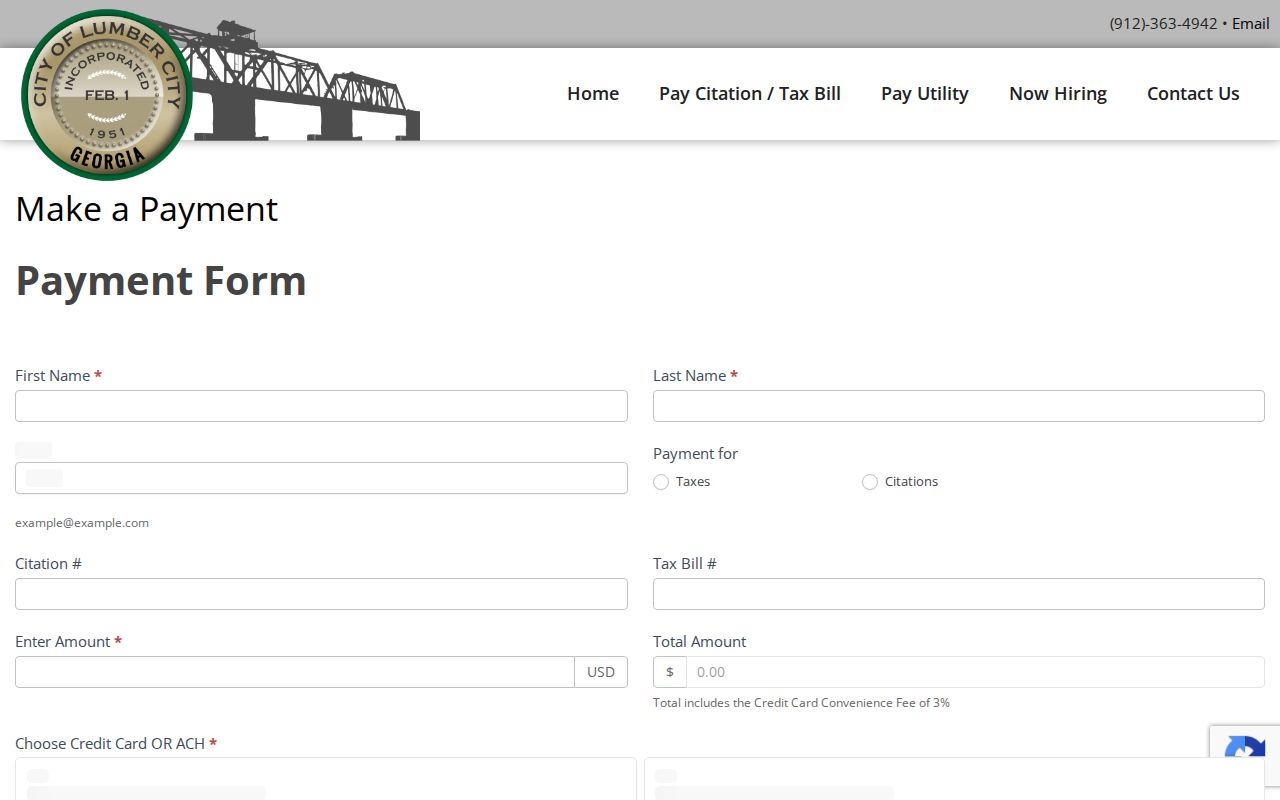
That page is a payment route, not a Lumber City court docket search. Save your confirmation, then get the court register when the disposition itself matters.
Lumber City Municipal Court Basics
Georgia's municipal-court materials list Lumber City, but the city keeps no separate official court page, and it publishes no judge, clerk, session schedule, courtroom, docket portal, calendar, or record-copy process. The official city contact is 33 Main Street, Lumber City, Georgia 31549, phone (912) 363-4942.
Municipal courts across Georgia may hear city traffic and ordinance violations, issue warrants, hold preliminary matters, and handle authorized misdemeanors. That statewide description does not fix Lumber City's exact calendar or procedure. The ticket and city staff must tell you the court, the date, whether appearance is mandatory, how to contest, and who keeps the records. Jacksonville's published personnel and calendar do not transfer here.
On the phone, separate the cashier from the court clerk. Ask who can confirm the public register, not just who takes payments. Give the citation number and its date. If staff send you elsewhere, write down that court's name, phone, and case number. Those details beat assuming every police-issued citation stays at City Hall.
Lumber City Payment Fields
The form's field order prevents two common mistakes. First, Taxes and Citations are separate payment purposes. Second, a citation number identifies a transaction, not a chronological case register. The city offers no online search by party name, hearing date, charge, or disposition.
| Control | Function | What it does not show |
|---|---|---|
| Taxes / Citations | Selects payment purpose | Court or docket assignment |
| Citation # | Identifies a citation payment | Register entries or hearing history |
| Provides transaction contact | Case status | |
| First / Last Name | Identifies the payer | Public party-name search |
| Submit Payment | Sends the Stripe transaction | Contest request or calendar verification |
The form displays no processor fee, late fee, ticket schedule, refund term, or defensive-driving charge. Confirm every amount before you submit payment.
Court Dates and Settings in Lumber City
The ticket comes first for a Lumber City date. The city posts no calendar. Call City Hall with the citation number and ask for the issuing court's phone, the current date, time, location, and setting type. Ask whether the case must be handled in person, and whether a reset or failure-to-appear entry exists. Never assume online payment cancels a mandatory appearance.
| Date | The appearance date on the citation or newest court entry. |
|---|---|
| Time | The call time confirmed by the court; no city session hours were published. |
| Courtroom | The location supplied by Lumber City or the issuing court. |
| Judge | The assigned judicial officer; no current city judge was located. |
| Setting Type | Arraignment, hearing, trial, plea, compliance, or another event. |
If the date passes or changes, contact the court right away. Georgia DDS receives failure-to-appear reporting from courts, but DDS will not take the ticket payment or set a new hearing.
Lumber City Size and History
Lumber City counted 967 residents in the 2020 Census across 1.926 square miles of land. The city's own site ties the community's name and history to lumber and sawmill activity. Those facts describe the place without promising any particular caseload or court schedule. The city publishes no filing-volume statistics.
The official Lumber City website serves as the city hall and history source.
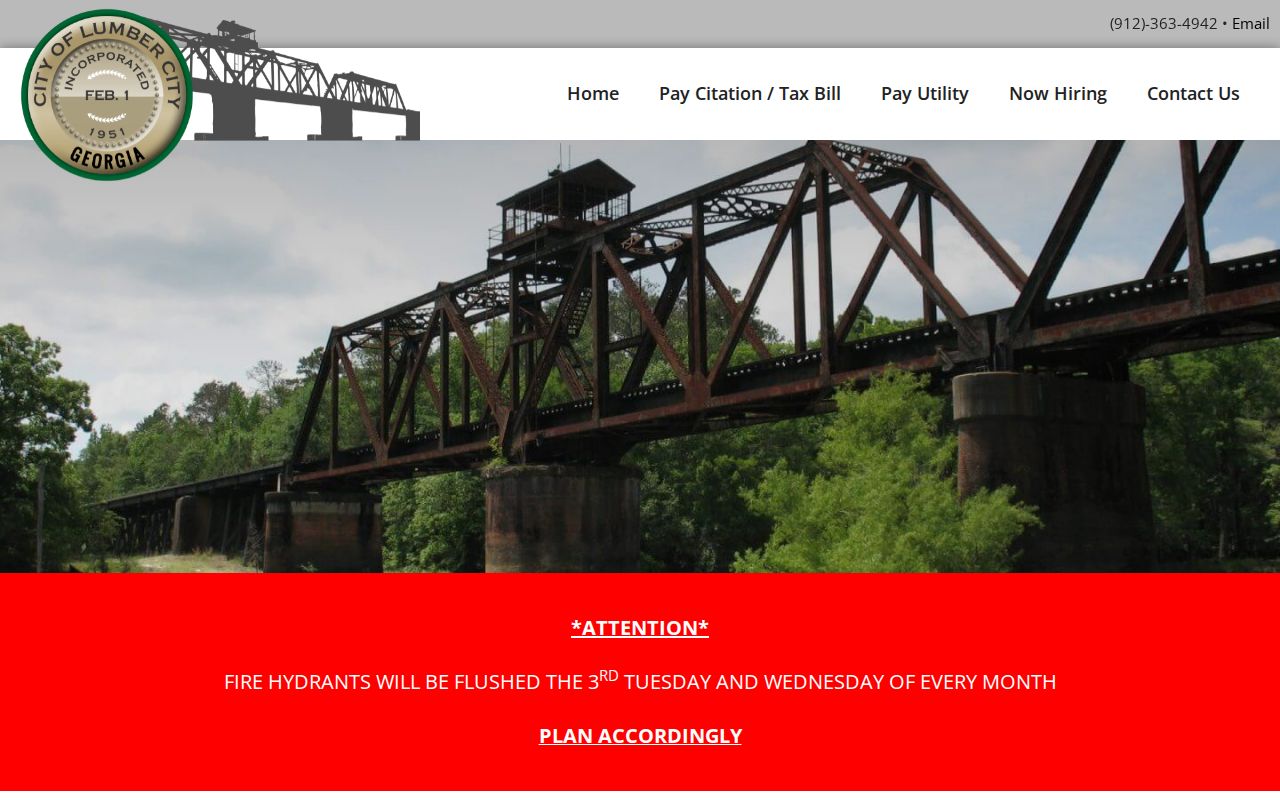
The city page anchors the local fallback at 33 Main Street. Beyond the citation payment route, it adds no separate docket database.
Traffic Tickets in Lumber City
Georgia Courts states plainly that no centralized traffic-citation database exists. A Lumber City ticket belongs with the issuing municipal, Magistrate, or other named court. The city form can take a citation payment, but it cannot tell you what happened at a hearing or whether a future date remains set.
Paying a ticket can act as a guilty or penalty disposition. Online payment never replaces a mandatory appearance. Before paying, confirm the exact amount, deadline, charge, appearance rule, and effect with Lumber City. Contesting? Ask for the plea or hearing method instead of submitting payment. For the county-wide comparison between the court file and the DDS record, see Telfair County traffic tickets.
Lumber City Payment Is Not Docket
A payment confirmation only shows the transaction went through. It says nothing about the plea entry, leftover costs, a canceled setting, or a later order. For those answers, read the Lumber City court record.
Verify the register. Use the citation number to ask the issuing court for the latest public entry and disposition.
If the form rejects the citation, call City Hall. Skip unrelated vendors, and never guess the Telfair Superior Citation field. Ask instead whether the citation was filed, whether a vendor delay is holding things up, and whether you must respond in person.
Hold onto the transaction date, the amount, the confirmation identifier, and the payment method. Then ask the issuing clerk whether the payment landed on the right citation and what docket entry followed it. A receipt can fix a posting error, but only the court can confirm legal status. If the public register lags, do not send a second payment.
Where Lumber City Cases Go
Start with the issuing city court for any Lumber City ordinance or traffic case. Felonies, major civil matters, domestic cases, child support, and habeas petitions all begin with Telfair Superior Court, even when the event happened inside Lumber City. Small claims and dispossessory work goes to Magistrate Court. Wills and guardianships belong to Probate Court.
Docket flow: Lumber City Municipal Court › Telfair County courts › Superior Court
Treat this as a routing summary only. Not every city citation climbs to Superior Court on its own. Follow an appeal or transfer carefully. Do so only when the docket itself shows one. For the county-level map, turn to the Telfair County court docket.
Lumber City Citation Number Limits
The conditional Citation # field works as a payment key. No published format, required length, punctuation rule, or link to a separate public case number exists. Type the value exactly as printed. Keep any leading zeroes, and do not invent a local code pattern.
The court assigns the docket number. That number pulls up the case register. The citation number simply identifies the ticket you were handed. The two may connect. Treat them as the same field only after the court confirms it. Ask City Hall which number the clerk wants. Check whether the online payment receipt lists the court case number.
Lumber City Record Request Route
Call or visit the documented City Hall contact. Ask who keeps the Lumber City citation register. A solid written request names the citation number and the issuing court. It also names the party if public, the date range, and the record you want. Ask for the docket, calendar entry, disposition, or order in a stated format. Do not ask the office to draft a new legal summary.
- Docket
- The chronological register of filings, settings, and outcomes.
- Calendar
- A scheduled list that may change and is not itself a disposition.
- Payment receipt
- Proof of a submitted transaction, not the complete court file.
- Certified copy
- An authenticated copy issued by the clerk who holds the original.
For a Superior case, start with Amy Royal's clerk office. Call (229) 868-6525. The Icon public search works too. City Hall will not hold the county's Superior file.
State the format you want and whether a plain copy suffices. Leave out sensitive identifiers the office does not need to find the matter. Get a cost estimate before staff run a broad search. Lumber City publishes no request form, response tracker, standard turnaround, copy fee, certification charge, or appeal page. Confirm those details. Do not assume free or same-day service.
Lumber City Court Record Access Rules
Request existing public records from the office that keeps them. The Georgia Open Records Act opens a route to city-held public material, while court rules and specific confidentiality laws can close parts of a court file. When a search comes back empty, the cause may be separate custody, an older file, redaction, or restriction.
Key access rules.
Georgia Open Records Act guidance explains requests for existing records, search time, copying, and redaction.
Uniform Superior Court Rule 21 states the public baseline for Superior Court records unless access is lawfully limited.
Juvenile, sealed, adoption, protective, medical, and sensitive details may stay private. Ask Lumber City or the issuing court for the legal basis and whatever public docket fields exist. Never try to slip past a restriction.